
efkan
"myXOOPs"-Neuling
Gepostet am:26.11.2025 15:22


#1
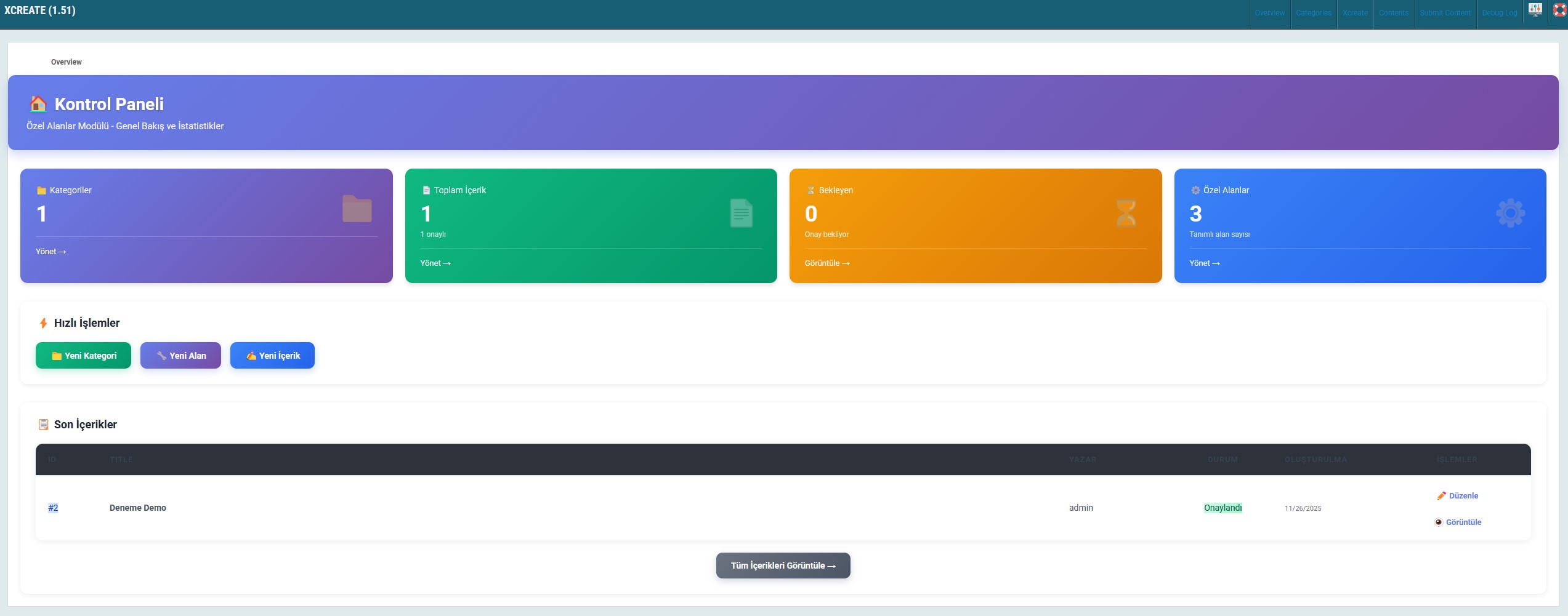
You can think of the xcreate module as an empty module. After installing this module, it can be transformed entirely into a module that fits your needs. While creating a category, you can create two tpl files: one representing the short.tpl section and the other representing the full.tpl section. Let’s explain this with an example. Suppose you need a game download module. Category name: Game Let’s say the custom fields we need are as follows: For the game download link: use “Field Type = URL”. Let’s enable the dynamic duplication feature because a game may have multiple download links. For the system requirements field: let’s use an HTML editor. No need for dynamic duplication. For the supported systems field: it should be a Multiple Selection field. For the game images field: use an Image Gallery. You can create as many fields as you want for this game category, and you can enable or disable the dynamic duplication feature for each single or multiple-use field. All Available Custom Field Types: Text (Single Line) Multiline Text HTML Editor Image Upload Image Gallery (Multiple) File Upload Dropdown List Multiple Selection Single Selection Date Picker Date-Time Picker Number Email URL Color Picker With this logic, you can create as many categories as you wish—such as a music download category, movie download category, real estate category, etc.—and meet your needs through custom categories and custom fields. Since the short.tpl and full.tpl sections are independent from each other, you can design completely category-specific layouts. I will release the module very soon. Demo:https://turkish.erenyumak.com/modules/xcreate/item.php?id=2
New Xoops Xcreate Module
26.11.2025 15:22You can think of the xcreate module as an empty module. After installing this module, it can be transformed entirely into a module that fits your needs. While creating a category, you can create two tpl files: one representing the short.tpl section and the other representing the full.tpl section. Let’s explain this with an example. Suppose you need a game download module. Category name: Game Let’s say the custom fields we need are as follows: For the game download link: use “Field Type = URL”. Let’s enable the dynamic duplication feature because a game may have multiple download links. For the system requirements field: let’s use an HTML editor. No need for dynamic duplication. For the supported systems field: it should be a Multiple Selection field. For the game images field: use an Image Gallery. You can create as many fields as you want for this game category, and you can enable or disable the dynamic duplication feature for each single or multiple-use field. All Available Custom Field Types: Text (Single Line) Multiline Text HTML Editor Image Upload Image Gallery (Multiple) File Upload Dropdown List Multiple Selection Single Selection Date Picker Date-Time Picker Number Email URL Color Picker With this logic, you can create as many categories as you wish—such as a music download category, movie download category, real estate category, etc.—and meet your needs through custom categories and custom fields. Since the short.tpl and full.tpl sections are independent from each other, you can design completely category-specific layouts. I will release the module very soon. Demo:https://turkish.erenyumak.com/modules/xcreate/item.php?id=2
